/Users/mason/.idapro/plugins/screenshot.py: Can't import PySide6. Are you trying to use Qt without GUI?
Traceback (most recent call last):
  File "/Applications/IDA Professional 9.2.app/Contents/MacOS/python/ida_idaapi.py", line 502, in IDAPython_ExecScript
    exec(code, g)
    ~~~~^^^^^^^^^
  File "/Users/mason/.idapro/plugins/screenshot.py", line 4, in <module>
    from PyQt5.QtCore import QPoint, QRect, QSize
  File "/Applications/IDA Professional 9.2.app/Contents/MacOS/python/PyQt5/__init__.py", line 6, in <module>
    utils.confirm_decision()
    ~~~~~~~~~~~~~~~~~~~~~~^^
  File "/Applications/IDA Professional 9.2.app/Contents/MacOS/python/PyQt5/utils.py", line 118, in confirm_decision
    raise NotImplementedError(
        "Can't import PySide6. Are you trying to use Qt without GUI?")
NotImplementedError: Can't import PySide6. Are you trying to use Qt without GUI?
We’re working on a generic solution for GUI plugins, but in the meantime you need to modify them to import Qt libs only when running under GUI (ida_kernwin.is_idaq()).
This symbol is new in 9.2 and is exported by libida.dylib.It seems that somehow a wrong libida.dylibis loaded in your case (from 9.1?). Please try to figure out why. Maybe check $HOME/.idapro/ida-config.json(although normally it should not matter if you set IDADIR).
No, I has been set env manually and before import: `os.environ[‘IDADIR’] = ‘/Applications/IDA Professional 9.2.app/Contents/MacOS’`
but it’s seems must match python version 3.13.5, meaning it cannot be work with others. I try 3.13.4 and 3.12.9 all problems points to _bitcountr_zero. I guess compiled binary in python/lib-dynload depends with fixed python version?
I haven’t been able to reconstruct your environment completely (at least given the hints above), but I am able to use Python 3.13.0 with idalib on macOS:
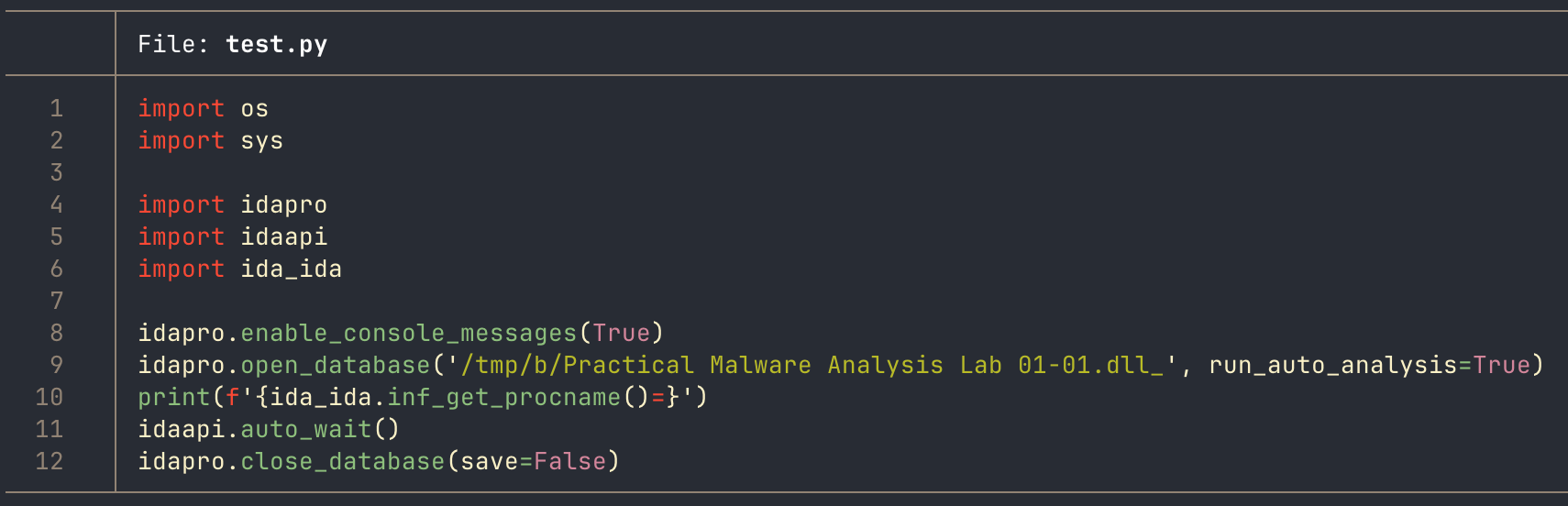
I see that you’re manipulating the IDADIR environment variable and search path (sys.path) within your script. Would you please try relying strictly on the idapro module to handle the setup of the search paths? That is, please try:
removing the os.environ… line and the sys.path... lines, and then
ensuring you have the current IDA installation activated for idalib: python /Applications/IDA\ Professional\ 9.2.app/Contents/MacOS/idalib/python/py-activate-idalib.py
ensure you don’t have any IDA environment variables set in your shell (IDAUSR, IDADIR, etc.)
Then try python test.py again. I’m wondering if maybe the manual tweaks to the load paths/variables are interfering with the way the idapro module is setting up the environment.
–
note: I don’t think that idapyswitch has to be set to the same Python version as is running within your idalib environment, but it doesn’t hurt to ensure they’re the same, at least until you get this working again.